
AI Construction Estimating Software: How It Works and How to Choose
This guide explains how AI estimating works, how it differs from AI takeoff, what it does well and where you still need an estimator, and how to choose AI estimating software for a general contracting business.
We build Billdr, construction management software with an AI estimator called Bruno. The explanations and the checklist in this guide apply to any tool.
What Is AI Construction Estimating?
AI construction estimating uses software to do the reading and first-draft work of an estimate. You upload project documents such as plans, specifications and notes. The software identifies the work required, measures quantities, organizes everything by trade and, depending on the tool, prices it.
Is there an AI for construction estimating? Yes. Construction AI software for estimating comes in three forms: AI takeoff software, standalone AI estimators, and construction management software with an AI estimator built in. The difference between them is how far they go past measuring.
AI Estimating vs. AI Takeoff Software: What’s the Difference?
| AI takeoff software | AI estimator | Construction management software with an AI estimator | |
|---|---|---|---|
| Reads | Drawings | Plans, specifications and project documents | Plans, specifications and project documents |
| Produces | Quantities: areas, lengths, counts | Scope of work by trade, with quantities | Scope, quantities and a priced estimate |
| Pricing | Usually priced separately | From cost data | From your own cost catalog, labor rates and markups |
| After the estimate | Export to a spreadsheet or estimating tool | Export or send | Becomes the quote, then change orders, budget and invoices |
| Best for | Estimators who already have a pricing system | Faster first drafts | General contractors who want estimating connected to the job |
Three types of AI estimating software and what each one produces.
How AI Estimating Works, Step by Step
1. Upload the project documents
Plans, specifications and any notes or photos from the client. The more complete the documents, the better the first draft. Some AI estimators can also start from a short description of the job when plans aren’t ready yet.
2. The AI reads every page
It pulls out rooms, dimensions, materials, finishes and notes, including details buried deep in the specifications that are easy to miss by hand.
3. It builds the scope of work by trade
Demolition, framing, electrical, plumbing, finishes: the work is organized the way you’d break down a job.
4. It works out quantities
Square footage, linear feet, counts and volumes for each line item, which your estimator checks against the drawings.
5. It prices the work from your cost data
An AI estimator applies your labor rates, material and subcontractor costs, cost codes and markups. This is the step AI takeoff software leaves to you.
6. Your estimator reviews and adjusts
Check quantities against the source pages, add allowances, exclusions and site conditions, and confirm subcontractor pricing. The AI drafts; the estimator decides.
7. Send it as a quote
Once reviewed, the estimate becomes the quote your client signs, ideally online.
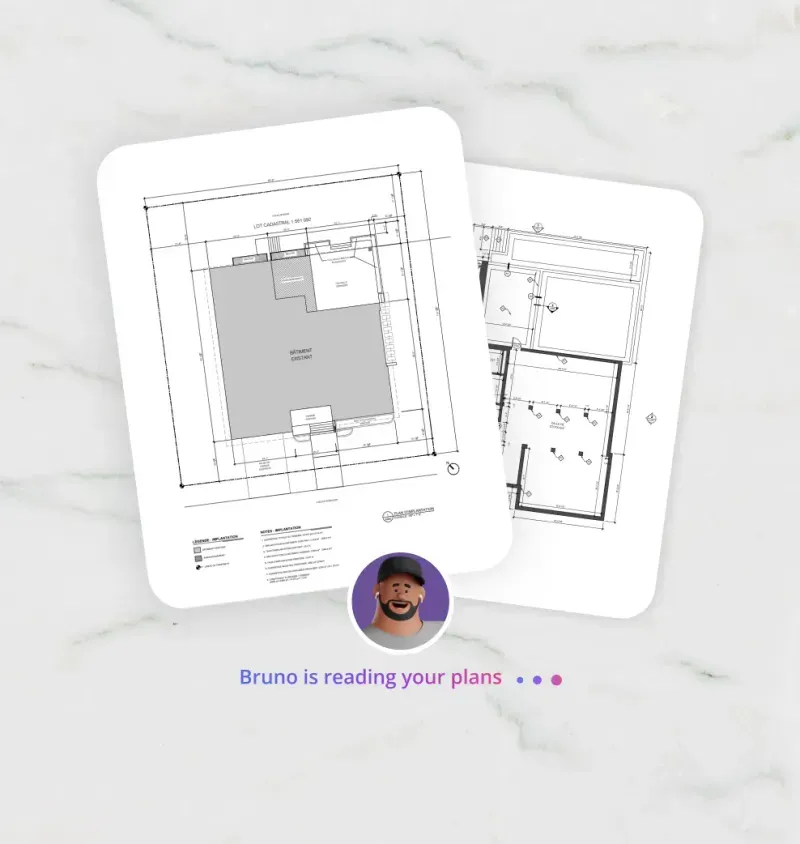
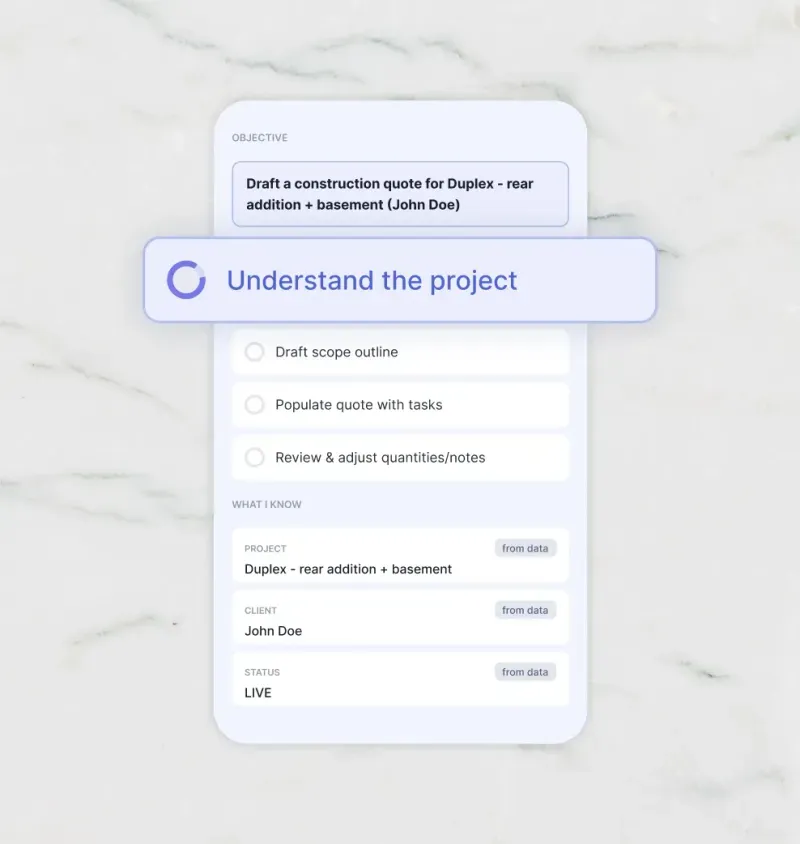
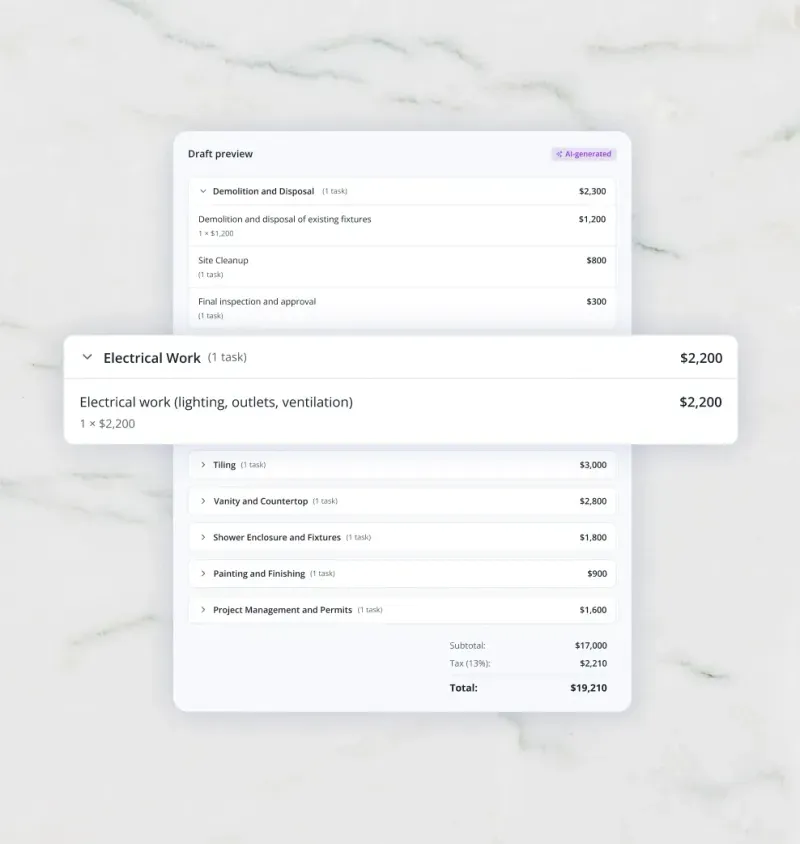
How Bruno, Billdr’s AI estimator, goes from plans to a draft estimate organized by trade.
What AI Estimating Does Well, and Where You Still Need an Estimator
| AI does well | You still need to |
|---|---|
| Read long plans and specifications in minutes | Walk the site and catch what isn’t on paper |
| Build a consistent scope so line items aren’t missed | Judge risk and set contingency |
| Apply your prices the same way on every job | Confirm subcontractor quotes and local pricing |
| Produce a bill of materials from the estimate | Decide allowances and exclusions |
| Produce a first draft in minutes | Own the final number and talk it through with the client |
AI handles the reading and first draft. The estimator handles judgment.
Will AI Replace Construction Estimators?
No. AI changes the job more than it removes it. The slowest parts of estimating, reading every page and building a first draft line by line, get much faster. The parts that protect your margin don’t: knowing the site, pricing risk, leveling subcontractor bids and deciding what goes in the contract. With AI handling the first draft, estimators can spend less time counting and more time reviewing and winning work.
How Estimators Use AI for Construction Bids
First-draft scope from plans. Upload the drawings and specs and start from a full scope instead of a blank page.
Catching buried requirements. AI reads every page of the specifications, where small requirements with big costs tend to hide.
Consistent pricing. Every estimate uses the same cost catalog, so two estimators don’t price the same work two different ways.
Bills of materials and supplier pricing. Turn the estimate into a bill of materials and send price requests to suppliers.
Subcontractor bids. Send clear scopes to subs and compare their bids against your estimate.
Trade-specific estimates. The same approach works for electrical, plumbing or HVAC scopes: the AI pulls fixture counts, runs and specifications from the drawings, and you apply your trade pricing.
Answering questions about the documents. Ask what the specs say about a material or detail instead of searching page by page. In Billdr, Bob and Bruno read every project file.
How to Use AI for Construction Estimating: Getting Started
1. Clean up your cost catalog first
An AI estimator is only as good as the prices it uses. Before your first AI estimate, make sure your cost catalog has current labor rates, material costs, subcontractor prices, cost codes and target margins.
2. Test it on a job you’ve already estimated
Run the AI on a past project and compare the result with your original estimate. You’ll quickly see where it’s strong and where your review needs to focus.
3. Build a review step into every estimate
Decide who checks quantities, allowances and exclusions before anything goes to a client. Use the source-page references to verify quickly.
4. Track estimate vs. actual
Compare estimated and actual costs on finished jobs and update your cost catalog. Better data makes every future AI estimate better.
How to Choose the Best AI Estimating Software: A Checklist
Whether a tool calls itself AI construction estimating software, an AI estimate generator or AI quoting software, these questions separate a real time-saver from a demo:
| Question to ask | Why it matters |
|---|---|
| Does it price from my own costs? | Generic national prices don’t match your crews, suppliers or margins. |
| Does it write the scope, or only measure quantities? | Quantities alone still leave you hours of pricing and organizing. |
| Can I see where each quantity came from? | Verification is what makes AI output safe to send. |
| What documents can it read? | Plans only, or specifications and project documents too? |
| Does the estimate become a quote my client can sign? | Re-entering the estimate in another tool wastes the time you saved. |
| Does it connect to change orders, budgets and invoices? | The estimate should carry through the whole job, not stop at the bid. |
| Is it built for residential and renovation work? | Many AI tools are designed for large commercial takeoff. |
| How is my data handled? | Your plans and pricing are sensitive business information. |
Eight questions to ask before choosing AI estimating software.
How Bruno, Billdr’s AI Estimator, Works
Bruno is the AI estimator built into Billdr’s construction estimating software. He’s designed for general contractors and home builders who want a priced estimate, not just quantities:
Start with a sentence. Describe the job, attach plans if you have them (they help, but they’re optional) or import an existing quote, and Bruno drafts the estimate. He also draws on what he already knows about the project, like the project description, meeting notes, client messages, project files, past quotes and your templates, and you can exclude any source with a click.
From blueprints to scope of work. Upload your plans and project files as PDF, Excel or CSV, and Bruno analyzes the drawings, identifies the work required, breaks the project down by trade and generates a detailed scope with quantities and line items.
Your costs, your way. Bruno prices from your cost catalog: your own tasks and naming, labor rates, material and subcontractor costs, cost codes, markups and margins.
Every number backed by the source. Bruno reads plans, specifications and project documents page by page, and every task and quantity can be traced back to the page it came from.
Connected to the rest of the job. The estimate becomes the quote your client signs in their Client Dashboard, then flows into change orders, the budget and invoices. You can also generate a bill of materials and send price requests to suppliers.
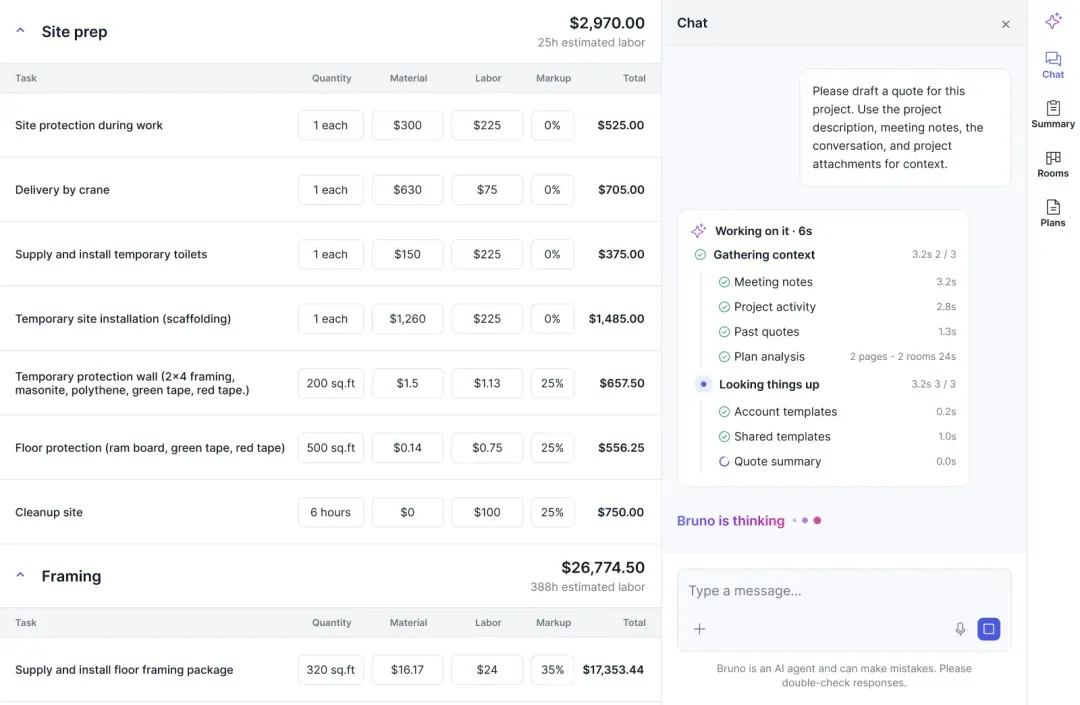
Bruno drafting a quote in Billdr: each line priced with material, labor and markup, with the context he used shown in the chat. Bruno flags that AI can make mistakes, so every draft gets a review.
See Bruno build an estimate
Upload plans, get a scope by trade and a priced estimate from your own cost catalog.
👉 Meet Bruno, the AI estimator5 Mistakes to Avoid With AI Estimating
Sending the first draft without a review.
Running AI on an outdated or messy cost catalog.
Relying on generic pricing instead of your own numbers.
Forgetting allowances, exclusions and site conditions that aren’t on the plans.
Never comparing estimates with actual costs, so the data never improves.
What to Do This Week
Update labor rates and your 20 most-used material prices in your cost catalog.
Pick one finished job to test an AI estimate against.
Write down your review checklist: quantities, allowances, exclusions, sub pricing.
Decide which documents you’ll ask clients for so the AI has what it needs.
Spending your nights on estimates?
See how general contractors estimate faster with Bruno and keep every estimate connected to the job in Billdr.
👉 Schedule a 1-on-1 Billdr demoQ1: Is there an AI for construction estimating?
Yes. AI takeoff software measures quantities from drawings, while AI estimators draft the scope of work and price it from your cost data. Some construction management software, such as Billdr with its AI estimator Bruno, builds the estimate inside the same system you use for quotes, change orders and invoices.
Q2: What is the best AI for construction estimating?
It depends on what you need. If you only want quantities from drawings, AI takeoff software is enough. If you want a priced estimate built from your own costs, look for an AI estimator. General contractors who also want that estimate connected to the quote, budget and invoices use construction management software with an AI estimator, such as Billdr.
Q3: What is the difference between AI estimating and AI takeoff?
AI takeoff measures quantities from drawings, such as square footage, linear feet and counts. AI estimating drafts the scope of work by trade, with quantities, and prices it, so the result is an estimate you can review and send rather than a list of measurements.
Q4: How accurate is AI construction estimating?
It depends on the quality of the drawings and of your cost data. AI is fast and consistent at reading documents and applying your prices, but it can’t see site conditions that aren’t on the plans. Treat its output as a strong first draft that your estimator reviews.
Q5: Will AI replace construction estimators?
No. AI takes over the slowest parts of the job, like reading specifications and building the first draft of the scope. Estimators still check the drawings against the site, price risk, review subcontractor quotes and own the final number.
Q6: How do estimators use AI for construction bids?
Estimators use AI to read plans and specifications quickly, draft the scope of work by trade, catch items buried in the specs, apply their cost catalog consistently and produce a bill of materials. They spend the time saved on review, subcontractor pricing and bid strategy.
Q7: Can AI estimate renovation projects?
Yes, for the work shown in the plans, specifications and project documents. Renovations add risk that isn’t on paper, like hidden damage or old wiring, so add allowances and exclusions after the AI draft and confirm them on site.
Q8: Does AI estimating software use my own prices?
The better tools do. Look for software that prices from your own cost catalog, labor rates, cost codes and markups rather than generic national averages. Bruno, Billdr’s AI estimator, works from your company’s cost catalog.
Q9: Do you need plans to use an AI estimator?
Not always. Plans make the estimate more detailed, but with Bruno they’re optional: you can describe the job in a sentence and Bruno uses what he already knows about the project, like the project description, meeting notes and client messages. Add plans when you have them for a more complete scope.
Q10: Which construction management software has an AI estimator?
Some construction management platforms now include an AI estimator that drafts priced estimates inside the same system you use for quotes, change orders and invoices. Billdr includes Bruno, an AI estimator that reads plans and project files, writes the scope of work by trade and prices it from your own cost catalog.